The National Testing Agency (NTA) has officially opened the registration for NEET UG 2026. Aspiring medical students can submit their applications from February 8 to March 8, 2026.
One of the most common reasons for application rejection is incorrect document uploading. For the 2026 session, NTA has introduced stricter security measures, including Aadhaar-based e-KYC and Live Photo capture. To ensure your form is accepted on the first attempt, follow this comprehensive checklist and technical guide.
1. Critical Updates: New Aadhaar e-KYC & Live Photo Rules for 2026
For NEET 2026, the application process is no longer just about "uploading" files. You must now pass two real-time verification steps:
- Mandatory Aadhaar e-KYC: Your Aadhaar must be linked to an active mobile number. During registration, you will receive an OTP for identity verification. If your Aadhaar details (Name, DOB) do not match your Class 10th certificate, you must update your Aadhaar before applying.
- Live Photo Capture: In addition to uploading a scanned photo, you must capture a live photo via a webcam or smartphone. This live image is cross-referenced with your Aadhaar database to prevent impersonation.
- Exam City Selection: Your exam city is now auto-suggested based on the permanent and present addresses verified through your Aadhaar.
2. The Master NEET 2026 Document Checklist (Quick View)
| Document Name | Format | File Size |
|---|---|---|
| Passport Size Photo | JPG/JPEG | 10 KB – 200 KB |
| Postcard Size Photo (4"x6") | JPG/JPEG | 10 KB – 200 KB |
| Scanned Signature | JPG/JPEG | 4 KB – 30 KB |
| Finger & Thumb Impressions | JPG/JPEG | 10 KB – 200 KB |
| Class 10th Certificate | 50 KB – 300 KB | |
| Category/PwBD Certificate | 50 KB – 300 KB | |
| Address Proof (Present/Permanent) | 50 KB – 300 KB |
3. Deep Dive: Photo, Signature & Document Specifications
Each document must follow NTA's strict "80% Face Rule" and ink color specifications. Failure to follow these can lead to your form being marked for "Correction" or outright rejected.
3.1 Recent Passport Size Photograph
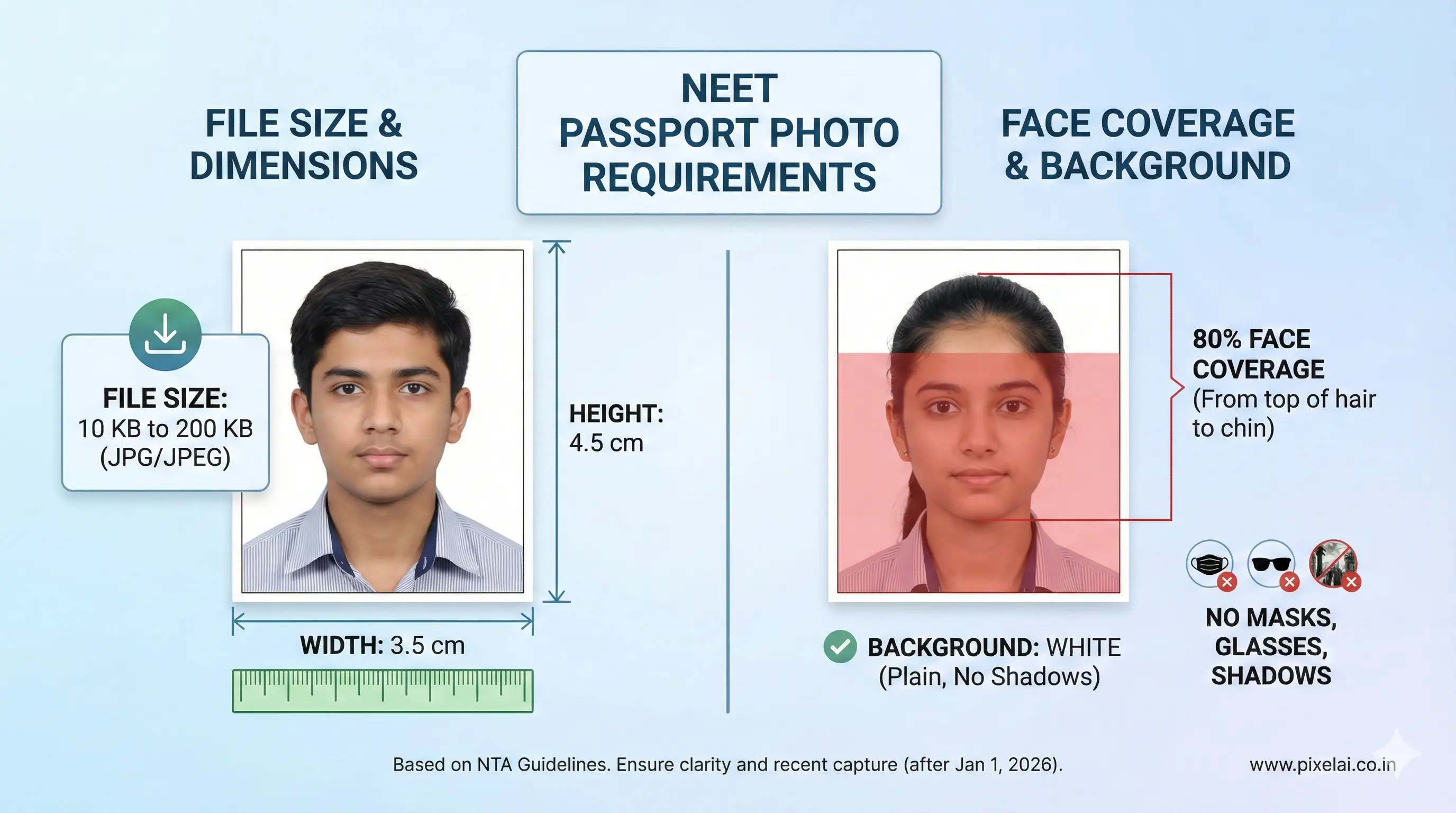
- File Type: JPG or JPEG
- Size Limit: 10 KB to 200 KB
- Guidelines:
- The photo must be taken on or after January 1, 2026.
- 80% Face Coverage: Your face should occupy most of the frame.
- Background: Plain white background only.
- Details: Candidate's name and the date of taking the photograph must be printed at the bottom.
- Visibility: Ears must be clearly visible. No caps, masks, or tinted glasses.
Pro-Tip: Get a perfectly scaled and under the file size limit image in seconds with our NEET UG Photo Resizer Tool.
3.2 Postcard Size Photograph (4"x6")
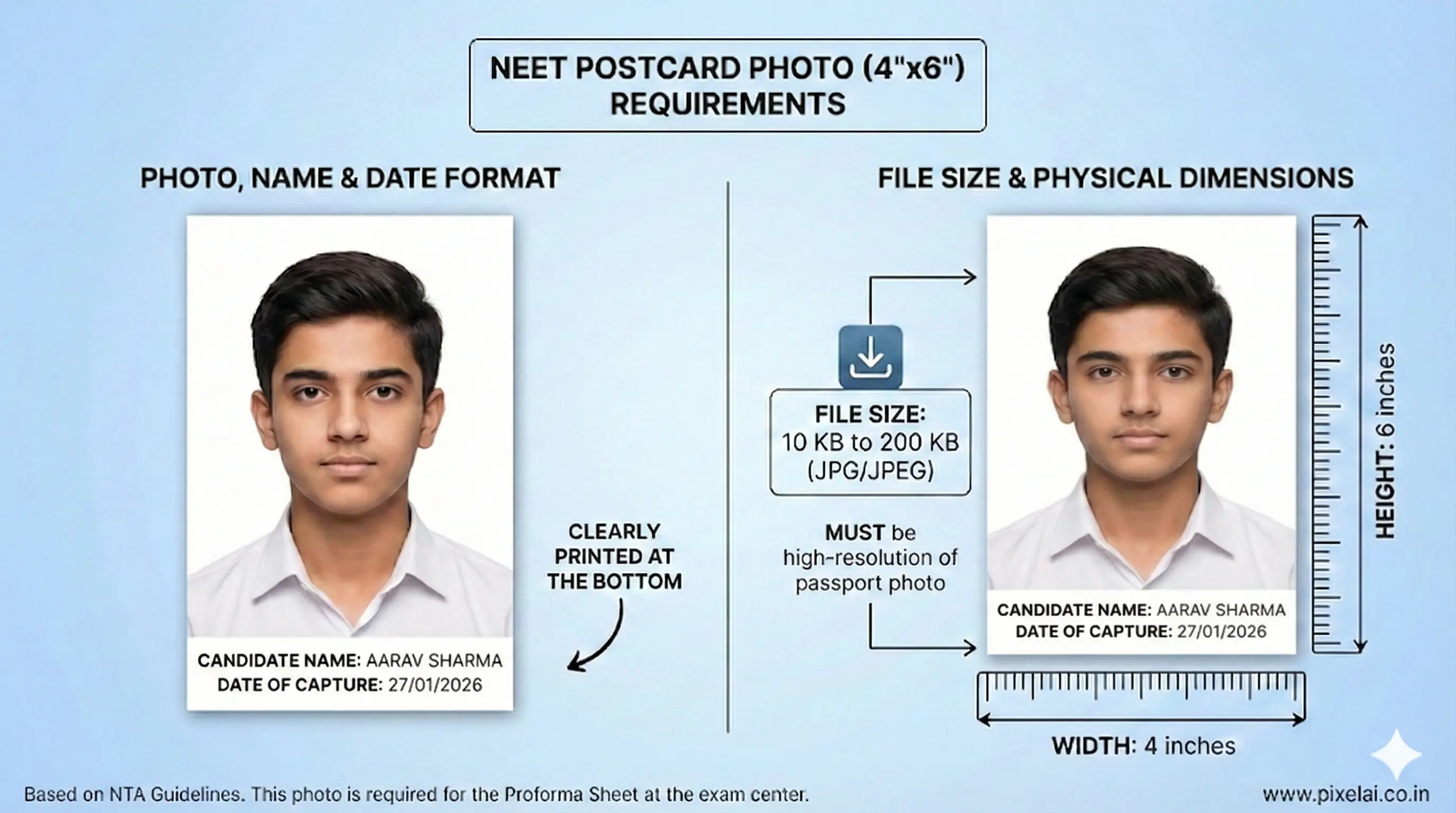
- File Type: JPG or JPEG
- Size Limit: 10 KB to 200 KB (Dimensions: 4 inches x 6 inches)
- Guidelines:
- This must be the same image as your passport-size photo but in a larger format.
- It is required for the proforma sheet that you will carry to the exam hall.
- High resolution is mandatory; do not just "stretch" a small photo.
Pro-Tip: Get a perfectly scaled and under the file size limit image in seconds with our NEET UG Photo Resizer Tool.
3.3 Digital Signature in Black Ink
- File Type: JPG or JPEG
- Size Limit: 4 KB to 30 KB
- Guidelines:
- Sign on white paper using a Black Ballpoint Pen.
- Important: Write your signature in running handwriting.
- Warning: Signatures in full CAPITAL LETTERS will be rejected.
Pro-Tip: Get your signature perfectly scaled and under the file size limit in seconds with our NEET UG Signature Resizer Tool.
3.4 Left and Right Hands Finger & Thumb Impressions
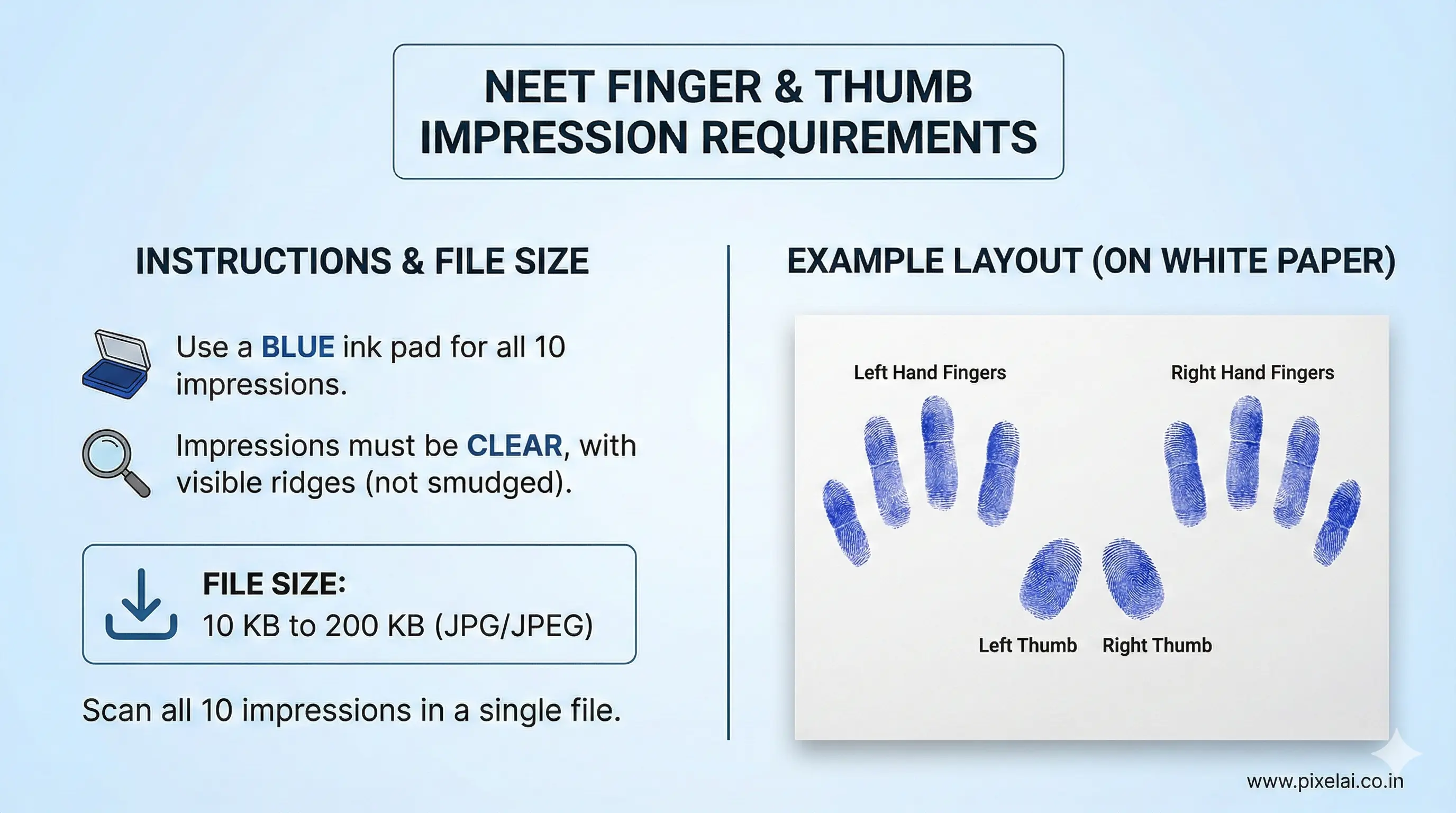
- File Type: JPG or JPEG
- Size Limit: 10 KB to 200 KB
- Guidelines:
- Use a blue ink pad to take impressions of all fingers and both thumbs.
- All 10 impressions must be scanned into a single file as per the NTA template.
- The impressions must be clear (not smudged) so the ridges are visible.
Pro-Tip: Get your thumb impressions perfectly scaled and under the file size limit in seconds with our Image Resizer Tool.
4. Top 5 Reasons NTA Rejects NEET Applications
To avoid being one of the thousands who face "Application Put on Hold" messages, avoid these mistakes:
- Old Photos: Using photos from previous years or without the name/date.
- Blurred Signatures: Using a gel pen or blue pen instead of black ink.
- Aadhaar Mismatch: Applying with a phone number that is not linked to your Aadhaar.
- Wrong PDF Size: Uploading certificates that are too blurry (below 50KB) or too heavy (above 300KB).
- Live Photo Issues: Capturing the live photo in dark lighting or with a cluttered background.
Final Verification Checklist
Before you click "Final Submit" on neet.nta.nic.in, ensure:
- The name on the 10th Certificate matches your Aadhaar exactly.
- You have 6 - 8 physical copies of the uploaded passport photo.
- Your EWS/OBC certificate is valid for the 2026-27 session.
- You have downloaded and saved the Confirmation Page as a PDF.